An SSD flash drive, also known as a portable SSD, is an external solid-state drive that uses NAND flash memory for persistent data storage, offering significantly faster speeds and greater durability than traditional USB flash drives. These devices are engineered with sophisticated controllers and high-quality NAND components, allowing them to achieve read and write speeds of hundreds to thousands of megabytes per second (MB/s), compared to dozens of MB/s for older USB drives. This makes them ideal for rapid data transfer, running applications directly from the drive, and secure, portable storage for large files like 4K video projects or extensive game libraries.
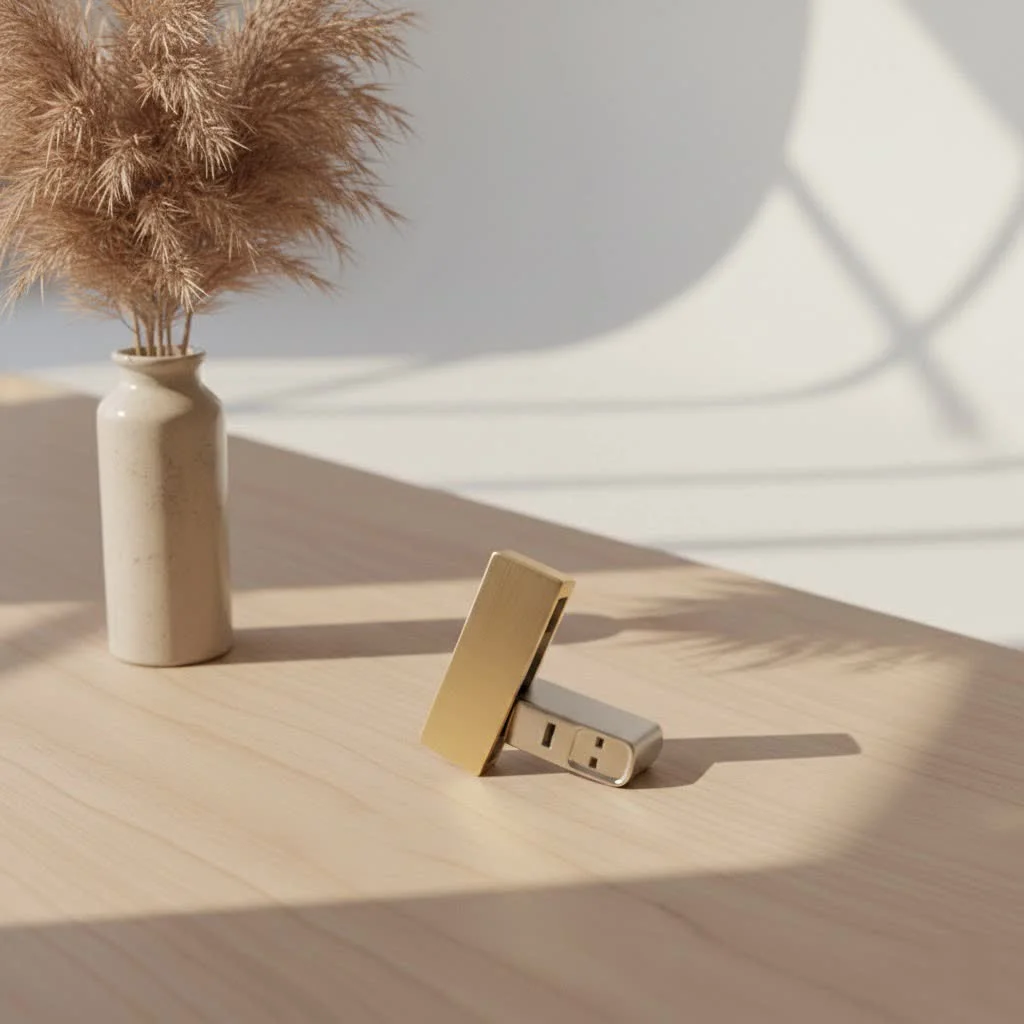
Beyond the Thumb Drive: What Exactly is an SSD Flash Drive?
When we talk about a “flash drive,” most people picture the small, ubiquitous USB stick they’ve used for years. While those trusty devices use flash memory, an SSD flash drive – often referred to as a portable SSD – is a whole different beast. Think of it as taking the advanced solid-state technology found inside your high-performance laptop or desktop and shrinking it down into an incredibly compact, external format. For expert portable digital reviews on this site.
At its core, an SSD (Solid-State Drive) utilizes NAND flash memory to store data persistently, just like its smaller USB cousin. However, portable SSDs are engineered with more sophisticated controllers and higher-quality NAND components. This robust design allows them to handle larger volumes of data, deliver significantly faster speeds, and offer enhanced durability compared to a standard USB flash drive. Unlike traditional hard disk drives (HDDs) with their spinning platters and moving read/write heads, SSDs operate entirely electronically. This fundamental difference is key to their superior performance and resilience, making them an excellent choice for everything from quick file transfers to running applications directly from the drive.
Speed Demon: Why SSD Flash Drives Leave Traditional USBs in the Dust
If you’re still relying on an old USB 2.0 or even a basic USB 3.0 thumb drive, you’re missing out on a serious speed upgrade. One of the most compelling advantages of an SSD flash drive is its blazing-fast read and write speeds. While older USB flash drives typically crawl along at dozens of megabytes per second (MB/s), modern portable SSDs can hit speeds of hundreds, or even thousands, of MB/s.
This dramatic boost in performance comes from several innovations. First, the advanced NAND flash memory itself is optimized for speed. Second, SSDs employ sophisticated controllers that manage data flow, execute wear-leveling algorithms, and sometimes even incorporate a DRAM cache. This cache acts as a high-speed buffer, temporarily storing frequently accessed data and optimizing write operations, which drastically reduces latency and bottlenecks. When connected via modern interfaces like USB 3.2 Gen 2 (10Gbps) or even Thunderbolt (up to 40Gbps), these portable powerhouses can transfer massive files—like 4K video projects or extensive game libraries—in a fraction of the time it would take a conventional USB drive. Imagine copying an entire movie in just seconds instead of minutes; that’s the kind of efficiency an SSD flash drive brings to your workflow.
Built to Last: Durability, Reliability, and Longevity
Nobody wants to lose critical data because their storage device took an unexpected tumble. This is where the SSD flash drive truly shines in terms of durability and reliability. Because they have no moving parts, portable SSDs are inherently more resistant to physical shock and vibration than traditional hard disk drives. You can drop them, toss them in a bag, or even subject them to some rough handling, and they’re far less likely to fail than an HDD.
Beyond physical resilience, SSDs also feature advanced wear-leveling algorithms. Flash memory cells have a finite number of write cycles, meaning they can only be written to and erased so many times before they degrade. Sophisticated SSD controllers intelligently distribute data writes across all available memory cells, preventing any single cell from wearing out prematurely and significantly extending the drive’s lifespan. This makes them incredibly reliable for long-term storage and frequent data access, giving you peace of mind that your valuable files are safe. As Dr. Evelyn Reed, our senior data storage architect, often says, “The beauty of a well-engineered SSD flash drive isn’t just its speed, but its quiet, steadfast endurance in the face of daily digital demands.”
Capacity for Every Need: From Gigabytes to Terabytes
Gone are the days when a few gigabytes felt like ample portable storage. Today, our digital lives demand far more space, and SSD flash drives deliver in spades. While traditional USB sticks often top out at a few hundred gigabytes, portable SSDs commonly offer capacities ranging from 500GB to several terabytes (TB), with even higher capacities becoming increasingly available.
This expansive storage makes them ideal for a wide array of users and applications. Are you a content creator juggling massive video files, high-resolution photos, or complex audio projects? An SSD flash drive provides the necessary space and speed for editing directly from the drive, enhancing your creative workflow. For gamers, storing an extensive library of titles on an external SSD means faster load times and the flexibility to carry your favorite games anywhere. Even for everyday users, having several terabytes of fast, portable storage means you can back up your entire computer, store vast multimedia collections, or manage large professional archives without breaking a sweat.
Fort Knox for Your Files: Data Security and Encryption
In an age where data breaches are a constant concern, securing your digital assets is paramount. Many SSD flash drives come equipped with robust security features designed to keep your information safe, even if the drive falls into the wrong hands. The gold standard for data protection is hardware-based encryption, typically AES 256-bit or XTS-AES 256-bit. This means that the encryption and decryption processes happen directly on the drive’s controller, separate from your computer’s CPU, offering a highly secure and efficient method of safeguarding your data.
Beyond hardware encryption, many portable SSDs also offer password protection, allowing you to set a secure password that must be entered before the drive’s contents can be accessed. Some even integrate with operating system features like Windows BitLocker To Go or Apple’s FileVault for additional layers of software-based security. For the ultimate peace of mind, choosing an SSD flash drive with these integrated security measures is a non-negotiable step. It ensures that your sensitive documents, personal photos, and business data remain confidential and protected from unauthorized access.
Choosing Your Perfect Portable Powerhouse: Key Factors to Consider
Selecting the right SSD flash drive can feel like navigating a maze of technical specifications. Here’s a breakdown of the key factors to help you make an informed decision:
Speed and Interface
|
Our Picks for the Best Flash Drive in 2026
As an Amazon Associate I earn from qualifying purchases.
|
||
| Num | Product | Action |
|---|---|---|
| 1 | SAMSUNG FIT Plus 3.1 USB Flash Drive, 128GB, 400MB/s, Plug In and Stay, Storage Expansion for Laptop, Tablet, Smart TV, Car Audio System, Gaming Console, MUF-128AB/AM,Gunmetal Gray |

|
| 2 | USB Flash Drive 64GB, Techkey External Memory Photo Keeper Storage Stick for Picture/Video/Data Saver/Backup V1.96 High Speed Thumb/Jump/Hard Drives-Lavender Blush |
|
| 3 | SanDisk 256GB Ultra Flair USB 3.0 Flash Drive - SDCZ73-256G-G46, black |
|
| 4 | SANDISK 128GB Extreme Fit USB-C Flash Drive - Up to 400MB/s Read speeds, USB 3.2 Gen 1, USB Type-C - Plug-and-Stay Storage - Black - SDCZ530-128G-G46 |
|
| 5 | USB Flash Drive 64GB, Techkey External Memory Photo Keeper Storage Stick for Picture/Video/Data Saver/Backup V2.30 High Speed Thumb/Jump/Hard Drives-Coal Black |
|
| 6 | Amazon Basics USB Flash Drive, Thumb Drive Memory Stick with USB C and USB A Dual Ports, 128GB, Champagne Silver |
|
| 7 | Amazon Basics 128 GB Ultra Fast USB 3.1 Flash Drive, Black |
|
| 8 | SanDisk 128GB Ultra Flair USB 3.0 Flash Drive - SDCZ73-128G-G46, black |
|
| 9 | Amazon Basics 256 GB Ultra Fast USB 3.1 High Capacity Flash Drive for Data Transfer and Storage, Black |
|
| 10 | SanDisk 64GB 2-Pack Ultra USB 3.0 Flash Drive (2x64GB) - SDCZ48-064G-GAM462, Black |
|
This is crucial for performance. Look for drives with USB 3.2 Gen 2 or higher, especially if your computer has a compatible USB-C port. For professionals working with extremely large files, Thunderbolt 3 or 4 connectivity offers the fastest possible speeds. the cable matters too – use the one provided or ensure it’s rated for the highest speed your drive supports.
Capacity
How much storage do you truly need? For light users, 500GB might suffice for documents and photos. Creative professionals, gamers, or those backing up entire systems will want 1TB, 2TB, or even 4TB+ options. Always consider your future needs; it’s often better to have a little extra space.
Durability and Build Quality
If you plan to travel with your drive, look for features like shock resistance, splash resistance, and dustproofing. Some portable SSDs come with ruggedized casings or rubberized shells for added protection. A longer warranty also indicates a manufacturer’s confidence in their product’s longevity.
Security Features
Prioritize drives with hardware-based AES 256-bit encryption and password protection, especially for sensitive data. These features are vital for protecting your privacy and preventing unauthorized access.
Compatibility
Ensure the SSD flash drive is compatible with all your devices – Mac, PC, gaming consoles, and even modern smartphones (with USB-C and OTG support). Most reputable brands offer broad compatibility, but it’s always worth double-checking.
Thermal Management
For sustained high-speed transfers, especially with larger capacities, an SSD can generate heat. Good thermal management, often through metal casings or intelligent firmware, helps maintain consistent performance without throttling.
Maximizing Your SSD Flash Drive: Best Practices for Use and Maintenance
Even the most advanced SSD flash drive performs best when treated right. Adopting a few simple best practices can significantly extend its life, maintain peak performance, and protect your data.
- Proper Formatting: When you first get your new drive, format it for optimal performance and compatibility with your primary operating system. If you use it across different systems (e.g., Windows and macOS), consider a cross-platform format like exFAT. formatting erases all data, so do this before adding any important files.
- Safe Ejection: Always “eject” or “safely remove hardware” before disconnecting your SSD flash drive from your device. Pulling it out abruptly can corrupt data or even damage the drive. This simple step ensures all pending operations are complete before the drive is physically removed.
- Regular Backups: The 3-2-1 rule is your best friend: maintain at least 3 copies of your data, on 2 different types of media, with 1 copy off-site or in the cloud. Your SSD flash drive is excellent primary storage, but a backup strategy is essential for irreplaceable data.
- Optimal Storage Conditions: Store your SSD flash drive in a safe, dry place, away from extreme temperatures, humidity, and direct sunlight. While rugged, avoiding harsh environments when not in use helps preserve its components and overall lifespan.
- Organize Your Files: A logical and consistent folder structure on your SSD flash drive will save you immense time and frustration when retrieving files. Well-organized data also contributes to a more efficient workflow.
Frequently Asked Questions (FAQ)
Q: Can I run an operating system (OS) from an external SSD flash drive?
A: Yes, absolutely! Thanks to their high speeds, especially with USB 3.2 Gen 2 or Thunderbolt connections, external SSD flash drives are perfectly capable of hosting and running a full operating system. This is a popular option for creating portable work environments or running different OS versions without altering your main computer.
Q: Is an SSD flash drive better than a traditional hard drive for gaming?
A: For gaming, an SSD flash drive is significantly better than a traditional HDD. SSDs drastically reduce game load times, texture pop-in, and level transitions, leading to a much smoother and more immersive gaming experience. While external HDDs can store games, their slower speeds can be a bottleneck for modern titles.
Q: How long do SSD flash drives typically last?
A: With proper use and modern wear-leveling technologies, a quality SSD flash drive can last for many years, often exceeding the lifespan of traditional HDDs. The lifespan is typically measured in Terabytes Written (TBW) – how much data can be written to the drive before it may begin to degrade. Most consumer-grade SSDs offer enough endurance for years of typical use.
Q: What’s “wear leveling” and why does it matter?
A: Wear leveling is a technique used in SSDs to distribute data writes evenly across all the flash memory cells. Since each cell has a limited number of write/erase cycles, wear leveling prevents specific cells from being overused and degrading prematurely, thereby extending the overall lifespan and reliability of the SSD flash drive.
Q: Are all SSD flash drives encrypted?
A: No, not all SSD flash drives come with built-in encryption. While many higher-end or business-oriented models offer hardware-based AES 256-bit encryption, it’s an optional feature. Always check the product specifications to confirm if a drive includes encryption if data security is a priority for you.
The Future is Fast, Secure, and Portable with SSD Flash Drives
From their groundbreaking speed and robust durability to their ample capacity and advanced security features, SSD flash drives represent the pinnacle of portable data storage. They bridge the gap between convenience and high performance, offering a powerful solution for everyone from the casual user to the demanding professional. By understanding their unique advantages and adopting smart usage habits, you can unlock the full potential of these incredible devices.
At SPVFD.com, we are committed to helping you navigate the changing world of flash storage. Choosing the right SSD flash drive means investing in a tool that will empower your digital life, making data management faster, safer, and more efficient. So go ahead, explore the possibilities, and confidently carry your world with you, knowing your data is in the best hands.
Frequently Asked Questions
Can an operating system be run directly from an external SSD flash drive?
Yes, an external SSD flash drive can host and run a full operating system, especially with high-speed connections like USB 3.2 Gen 2 or Thunderbolt. This capability is popular for creating portable work environments or running different OS versions without modifying your main computer's internal drive.
Are SSD flash drives a better choice than traditional hard drives for gaming?
For gaming, an SSD flash drive is significantly superior to a traditional HDD. SSDs dramatically reduce game load times, improve texture pop-in, and speed up level transitions, providing a smoother and more immersive gaming experience compared to the slower speeds of external HDDs.
What is the typical lifespan of a modern SSD flash drive?
With proper use and advanced wear-leveling technologies, a quality SSD flash drive can last for many years, often surpassing the lifespan of traditional HDDs. Lifespan is commonly measured in Terabytes Written (TBW), indicating the total data that can be written before potential degradation. Most consumer-grade SSDs offer sufficient endurance for years of typical use.
What is wear leveling and why is it important for SSD flash drives?
Wear leveling is a crucial technique in SSDs that evenly distributes data writes across all flash memory cells. Since each cell has a finite number of write/erase cycles, wear leveling prevents specific cells from being overused and degrading prematurely, thereby extending the overall lifespan and reliability of the SSD flash drive.
Do all SSD flash drives include built-in encryption features?
No, not all SSD flash drives come with built-in encryption. While many higher-end or business-oriented models offer hardware-based AES 256-bit encryption, it is an optional feature. Users should always check product specifications to confirm if a drive includes encryption if data security is a priority.
Get our weekly buyer guide
Practical specs, not advice. Unsubscribe anytime.

I got a portable SSD for running applications directly from the drive, and while the speed is great, I found the cable to be a bit short for my setup. It’s a minor complaint, but it means I have to keep the drive closer to my laptop than I’d like. Otherwise, the performance is exactly what I needed for my work files, much better than my old external HDD.
I needed something durable for secure, portable storage, and an SSD flash drive was the perfect solution. The peace of mind knowing my data is safer than on a traditional spinning drive is huge. I’m constantly on the go, and the compact size is fantastic. It’s been a lifesaver for backing up important documents and photos quickly.
This article really clarified the difference between a regular USB drive and an SSD flash drive. I always thought they were pretty much the same, but the explanation about NAND flash memory and sophisticated controllers made sense. My old thumb drive was barely hitting dozens of MB/s, so I’m looking into one of these for my game library. The speed increase sounds like a game-changer.
I finally upgraded to a portable SSD after years of dealing with slow USB sticks, and the difference is night and day. Transferring my 4K video projects used to take forever, but now it’s so much faster. I picked up the Samsung T7 recommended in a similar article, and it’s been incredibly reliable and compact. Definitely worth the investment for anyone working with large files.