The best Kingston flash drive for 128GB depends on specific user needs, with the Kingston DataTraveler Max (Type-A) offering unparalleled speeds up to 1,000 MB/s read and 900 MB/s write for professionals, while the DataTraveler Kyson provides a robust metal casing and 200 MB/s read speed for daily use, and the DataTraveler Exodia M serves budget-conscious users with reliable storage at 100 MB/s read speed. Each model caters to different priorities in speed, durability, and cost-effectiveness for 128GB storage.
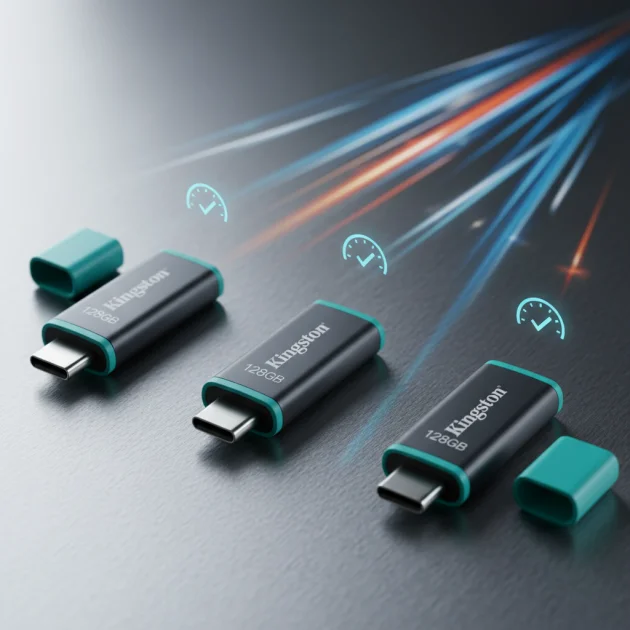
Quick comparison
| Model | Interface | Read Speed (MB/s) | Write Speed (MB/s) | Key Feature |
|---|---|---|---|---|
| Kingston DataTraveler Kyson | USB 3.2 Gen 1 | 200 | 60 | Capless metal casing |
| Kingston DataTraveler Exodia M | USB 3.2 Gen 1 | 100 | 15 | Moving cap protection |
| Kingston DataTraveler Max (Type-A) | USB 3.2 Gen 2 | 1000 | 900 | Extreme speed |
What 128GB needs from a flash drive
A 128GB flash drive offers substantial storage, making it suitable for a wide array of uses, from carrying large document collections to storing high-resolution photos and videos. For this capacity, speed is paramount. Slow read and write speeds can significantly impact productivity, especially when transferring large files or backing up entire folders. A USB 3.2 Gen 1 interface is a minimum expectation, providing decent speeds for most users. However, for professionals or those frequently moving very large files, a USB 3.2 Gen 2 drive offers a substantial performance boost. Durability is another critical factor. A 128GB drive often holds valuable data, so a robust build, whether it’s a metal casing or a secure cap design, helps protect against physical damage. Compatibility with various devices, including older USB 2.0 ports, is also beneficial for broader utility. Finally, a compact and portable design ensures the drive is easy to carry without being cumbersome.
Detailed reviews
Kingston DataTraveler Kyson 128GB
The Kingston DataTraveler Kyson 128GB is an excellent choice for users seeking a balance of performance and durability. It features a sleek, capless metal casing that protects the USB connector and provides a premium feel. With a USB 3.2 Gen 1 interface, it delivers read speeds up to 200 MB/s and write speeds up to 60 MB/s. This makes it efficient for transferring large documents, presentations, and even some video files. The absence of a cap means there’s no cap to lose, enhancing convenience. Its robust design ensures it can withstand daily wear and tear, making it a reliable companion for students and professionals alike. The Kyson is also backward compatible with USB 2.0 ports, ensuring broad usability across different devices.
Kingston DataTraveler Exodia M 128GB
The Kingston DataTraveler Exodia M 128GB is designed for everyday reliability and ease of use. This drive features a practical moving cap that protects the USB connector when not in use, preventing dust and damage. It operates on a USB 3.2 Gen 1 interface, offering read speeds of up to 100 MB/s and write speeds of approximately 15 MB/s. While not the fastest, these speeds are perfectly adequate for general file storage, document sharing, and carrying media files. Its colorful, lightweight design makes it easy to identify and carry. The Exodia M is a cost-effective solution for users who need dependable storage without requiring top-tier performance, making it ideal for school, work, or personal backups.
Kingston DataTraveler Max (Type-A) 128GB
For users demanding the absolute fastest performance, the Kingston DataTraveler Max (Type-A) 128GB is the standout option. This drive utilizes a USB 3.2 Gen 2 interface, delivering astonishing read speeds of up to 1,000 MB/s and write speeds of up to 900 MB/s. These speeds are comparable to internal SSDs, making it perfect for transferring massive files like 4K videos, large software installations, or entire game libraries in mere seconds. Its unique ridged casing and sliding cap mechanism provide both protection and a distinctive aesthetic. While it requires a USB 3.2 Gen 2 port to achieve its maximum speeds, it remains backward compatible with older USB standards. This drive is ideal for content creators, IT professionals, and anyone who prioritizes speed above all else.
Routine fit
Choosing the right 128GB Kingston flash drive depends on your daily routine. If you frequently transfer large video files or work with extensive databases, the Kingston DataTraveler Max is indispensable due to its exceptional speed. For students or office workers who primarily handle documents, presentations, and occasional media, the Kingston DataTraveler Kyson offers a great balance of speed and durability in a convenient capless design. If budget is a primary concern and your tasks involve less frequent, smaller file transfers, the Kingston DataTraveler Exodia M provides reliable storage with a protective cap. Consider how often you move files, the size of those files, and the environments in which you use your flash drive to make the best decision.
FAQs
What is the difference between USB 3.2 Gen 1 and Gen 2?
USB 3.2 Gen 1, formerly known as USB 3.0, offers theoretical speeds up to 5 Gbps (625 MB/s). USB 3.2 Gen 2, formerly USB 3.1 Gen 2, doubles that theoretical speed to 10 Gbps (1250 MB/s). In practical terms, Gen 2 drives like the DataTraveler Max provide significantly faster real-world read and write speeds, especially noticeable with large file transfers. Gen 1 drives are still fast enough for most everyday tasks, but Gen 2 is superior for performance-intensive applications.
Are Kingston flash drives compatible with both Windows and Mac?
Yes, Kingston flash drives are generally compatible with both Windows and Mac operating systems. They typically come pre-formatted with a file system like FAT32 or exFAT, which are readable and writable by both platforms. For optimal performance and to handle very large individual files (over 4GB), exFAT is usually preferred. If you encounter compatibility issues, you can reformat the drive to a suitable file system using your computer’s disk utility.
How important is the casing material for a 128GB flash drive?
The casing material is quite important for durability and protection. Plastic casings, like those on some Exodia models, are lightweight but can be more susceptible to cracks or damage from drops. Metal casings, found on drives like the DataTraveler Kyson, offer superior protection against physical impact and can also help dissipate heat. A robust casing ensures your valuable 128GB of data is better protected from everyday accidents, extending the life of the drive.
Can I use a 128GB flash drive for booting an operating system?
Yes, a 128GB flash drive can be used to create a bootable operating system installer or a live OS environment. This is a common use case for installing Windows, Linux distributions, or running diagnostic tools. The process usually involves using specific software (like Rufus for Windows or Etcher for cross-platform) to write the OS image to the drive. Ensure the drive has sufficient speed, especially for live OS environments, to provide a responsive try.
What does ‘capless design’ mean for a flash drive?
A capless design means the flash drive does not have a separate cap to cover the USB connector. Instead, it often features a sliding mechanism, a swivel design, or a retractable connector that protects the USB plug when not in use. This design eliminates the risk of losing the cap, making the drive more convenient for frequent use. Drives like the Kingston DataTraveler Kyson utilize a capless metal casing for both protection and ease of use.
Verdict
For the best Kingston flash drive at 128GB, the Kingston DataTraveler Max (Type-A) stands out for its unparalleled speed, making it ideal for professionals and power users. If extreme speed is not the top priority, the Kingston DataTraveler Kyson offers an excellent blend of robust metal construction and strong USB 3.2 Gen 1 performance, perfect for daily use and general file transfers. For budget-conscious users needing reliable storage for everyday documents, the Kingston DataTraveler Exodia M provides a dependable and practical solution. Your choice should align with your specific performance needs, durability requirements, and budget.
Frequently Asked Questions
What is the main difference between USB 3.2 Gen 1 and Gen 2 speeds?
USB 3.2 Gen 1 offers theoretical speeds up to 5 Gbps (625 MB/s), while USB 3.2 Gen 2 doubles that to 10 Gbps (1250 MB/s). Practically, Gen 2 drives like the Kingston DataTraveler Max provide significantly faster real-world read and write speeds, especially for large file transfers, compared to Gen 1 drives.
Are Kingston 128GB flash drives compatible with both Windows and Mac computers?
Yes, Kingston flash drives are generally compatible with both Windows and Mac operating systems. They typically come pre-formatted with FAT32 or exFAT, which are readable and writable by both platforms. For files over 4GB, exFAT is usually preferred for optimal performance.
How does the casing material impact the durability of a 128GB flash drive?
The casing material significantly impacts durability and protection. Metal casings, such as on the DataTraveler Kyson, offer superior protection against physical impact and can help dissipate heat, safeguarding your 128GB of data. Plastic casings are lighter but more susceptible to damage from drops.
Can a 128GB flash drive be used to boot an operating system?
Yes, a 128GB flash drive can be used to create a bootable operating system installer or a live OS environment. This is a common use for installing Windows or Linux distributions. Specific software like Rufus or Etcher is typically used to write the OS image to the drive.
What are the benefits of a capless design for a flash drive?
A capless design means the flash drive does not have a separate cap, often featuring a sliding, swivel, or retractable connector to protect the USB plug. This design eliminates the risk of losing the cap, making the drive more convenient for frequent use, as seen in models like the Kingston DataTraveler Kyson.
Get our weekly buyer guide
Practical specs, not advice. Unsubscribe anytime.

Finally, a flash drive that keeps up! I’ve been looking for a 128GB drive that could handle my extensive music library and some larger software installers without bogging down. The Kingston DataTraveler Max is a beast. It’s incredibly fast and I haven’t had any issues with data corruption or slowdowns. Highly recommend for anyone who needs serious performance.
The DataTraveler Kyson is exactly what I needed for everyday use. The metal casing feels really solid and I don’t have to worry about losing a cap, which is a huge plus. The 200 MB/s read speed is perfectly adequate for moving documents and photos around. It’s reliable and feels durable, a good balance of performance and build quality.
I went with the DataTraveler Exodia M because I was on a tight budget and just needed something reliable for school assignments. It gets the job done for basic storage, but the 100 MB/s read speed is definitely noticeable when I’m trying to open larger files. The moving cap is a bit flimsy too, I worry it might break off eventually. It’s okay for the price, but don’t expect blazing fast transfers.
I picked up the Kingston DataTraveler Max (Type-A) after reading about its insane speeds. Seriously, 1,000 MB/s read is no joke! I’m a videographer and transferring large 4K files used to be a nightmare, but this drive has cut my waiting time in half. It’s a game-changer for my workflow, totally worth the investment for professionals.